










Prepare Item with the regional values and stock policy that daily operations will use.
Before you start
- Confirm the instance country and operating currency.
- Decide whether negative stock is ever acceptable.
Complete the initial set-up
Item inherits the country context of the instance. The assistant creates the first warehouse, receiving, storage and dispatch locations, a product and its opening stock movement.
Review operational settings
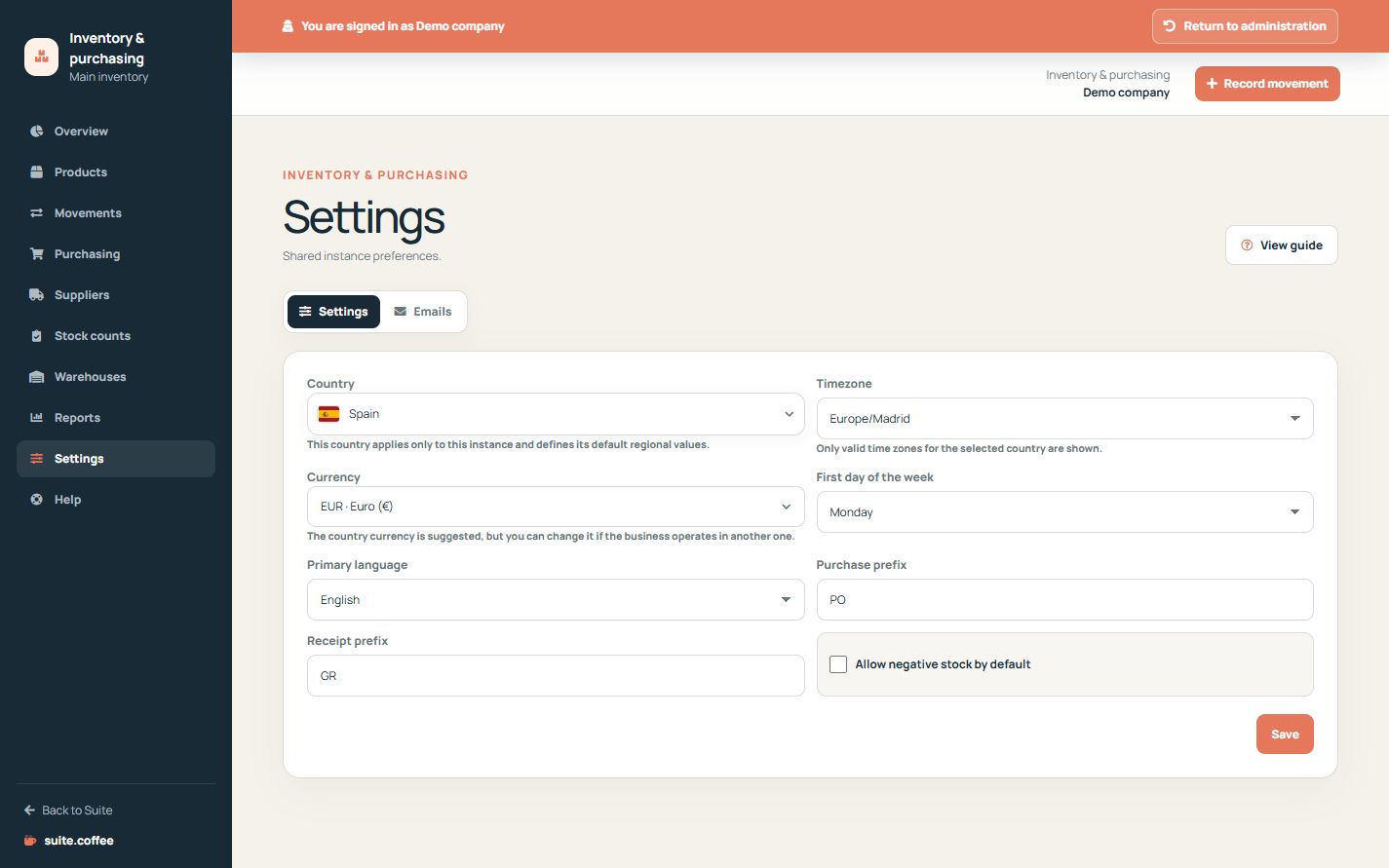
Confirm timezone, currency, primary language, purchase and receipt prefixes and the global negative-stock policy before daily use. Changing currency updates editable catalogue references but does not convert historical purchase orders, receipts or movements.
Keep Suite-wide settings separate
Account, members, contracted plan and service connections are managed in Suite.coffee. Item settings cover only the inventory instance.
Step by step
- Open Settings from Item.
- Confirm country, timezone, language and currency.
- Review purchase and receipt prefixes.
- Set the default negative-stock policy.
- Save and check the overview before starting operations.
Final check
- Dates and money use the intended regional values.
- Prefixes are unique and recognisable.
- The stock policy matches the real operation.
Tip: Changing currency does not convert historical orders, receipts or movements.